Voice Memos on the Trail: Field-Journal Your Hikes
Field-journal hikes by voice: what to record and when, a 20-second memo routine, offline transcription on iPhone and Android, and a trip journal.
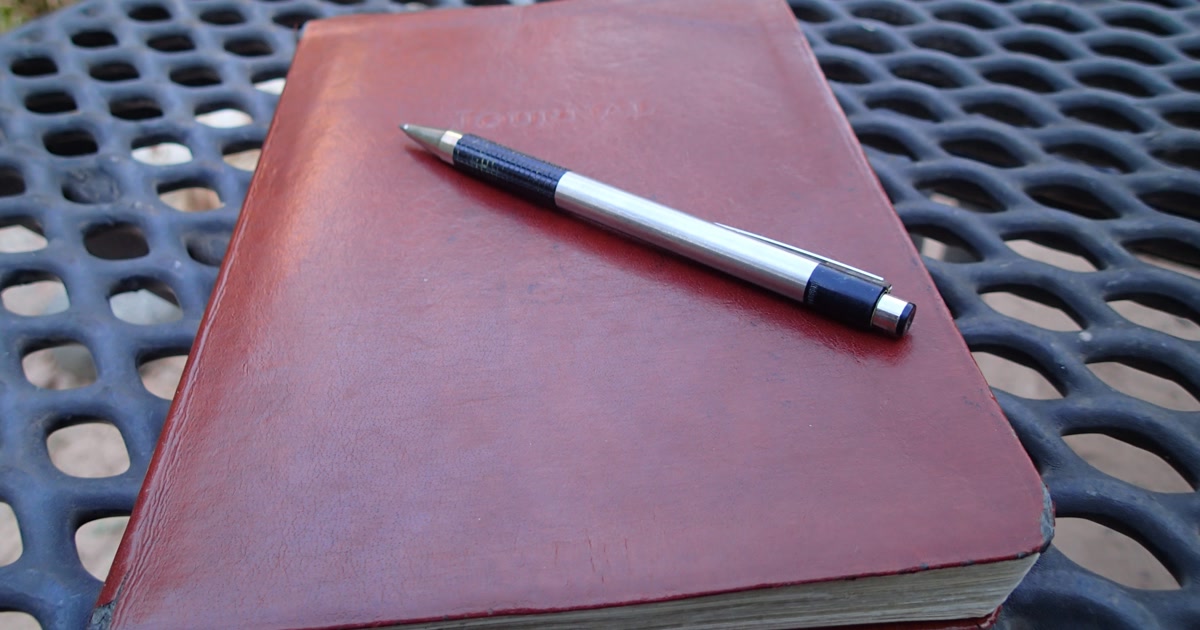
!A red leather-bound hiking journal with a pen on an outdoor mesh table

A hiking journal, photographed during a four-day Grand Canyon trip. Photo: cogdogblog, via Wikimedia Commons, CC BY 2.0.

Field naturalists have kept notebooks for more than a century, and the classic method follows a simple rule: write it down while it's happening, then write it up the same evening. Most hikers would like that kind of record (where the water was, which junction was unsigned, how long the climb really took) but won't stop on a cold ridge, take off their gloves and type. A voice memo gets you most of the way there. It takes fifteen seconds, works while you walk, and doesn't need a signal.
This guide covers what to record and when, a short memo routine, which phone tools turn speech into text offline, and how to turn a day of memos into a trip journal. Recording the GPS track itself, and pinning photos to it, is covered in our guide to how to record and relive a hiking route. This post is about what you say.
Why voice beats typing on the trail
Typing outdoors means stopping, taking off your gloves (unless they're made for touchscreens), wiping rain off the screen and squinting in bright sun. Most people skip it, and the detail is gone by evening. Speaking asks much less:
- It works with gloves on and the phone half in a pocket. One press to start, one to stop.
- You can keep walking, so you catch things you'd never stop for: a change in the trail, a sound, the time you passed a landmark.
- It catches the detail typing drops. A cold, tired thumb types "bridge out"; a spoken memo has room for which bridge, what the detour looked like and how long it added.
- It doesn't need a network. The audio is saved on the phone; only syncing and some transcription need a connection.
The Grinnell method, developed by Joseph Grinnell, first director of the University of California's Berkeley Museum of Vertebrate Zoology, and still popular with biologists and naturalists, separates a pocket field notebook, filled in as things happen, from a journal written up afterwards. A voice memo is a pocket notebook you don't have to write in.
What to record: borrow from field scientists
Grinnell-style notes start with the same basics every time: date, arrival and departure times, locality, companions, route, weather and habitat, then the observations. Evergreen State College field-journal guidance asks for a similar header, including a location description good enough to guide a stranger. A hiking version looks like this:
- Start memo: where you are, who's with you, the weather, the plan ("Trailhead, 08:10, two of us, overcast and cool, aiming for the lake and back by three").
- Decision memos: every junction where you chose, every turnaround, every point where you changed the plan. These are the ones you can't reconstruct later.
- Condition memos: water sources and how much was flowing, mud, snow, washouts, fallen trees, unsigned junctions, a bridge that's closed.
- Time-check memos: "Saddle, 10:40." With timestamps, your next estimate of how long the route takes will rest on real data.
- Something you noticed: the bird you couldn't identify, the smell after rain, what someone said at lunch. This is what makes a journal worth rereading.
- End memo: how it went, what you'd change, what to bring next time.
Your phone already logs each memo's time, and your GPS track holds the line you walked, so spend your words on what the phone can't measure.
A 20-second memo routine
A routine keeps memos short and makes them easy to use later. Try saying these four things, in this order, each time:
1. Where: a landmark, not coordinates ("second stream crossing below the hut").
2. What: the condition or observation ("water knee-deep, fast, cold").
3. So what: what it means for you or the next person ("crossable with poles, wouldn't do it after rain").
4. Next: the plan from here ("continuing to the col, expect forty minutes").
It works on a shared trip too: agree before you start that whoever is at the front records a quick memo at each junction.
Setting your phone up before you leave
On iPhone, Apple's Voice Memos app records with the built-in microphone, a supported headset or an external mic. According to Apple's guide, a recording is saved as "New Recording" or, if Location Services is on, with the name of your location. On models with an Action button, you can assign it to Voice Memo so that pressing and holding the button starts a recording.
On a Google Pixel, the Recorder app runs on Pixel 3 and later. Google's help page says it keeps recording when the screen goes to sleep, and a single recording can run up to 18 hours. On other Android phones, the built-in recorder varies by manufacturer, so check your own phone's recorder before you rely on it.
Two other settings are worth checking:
- Audio quality. Apple's Voice Memos settings guide (written for Mac) describes the choice between Compressed (lower-quality, smaller files) and Lossless (high-quality, larger files). On iPhone, Voice Memos options are under Settings > Apps > Voice Memos. For spoken notes, smaller files are usually all you need.
- Naming. Location-based names on iPhone help, but rename the key memos that evening with the date and a keyword ("2026-11-24 creek crossing") so a season of memos stays searchable.
- Wind. Turn your back to it or speak into a cupped hand.
Offline transcription: what actually works without signal
Text is quicker to search and paste into a journal than audio. Here is what the official documentation says about transcribing without a connection:
- iPhone Voice Memos transcripts. Apple says Voice Memos can transcribe speech while you record or afterwards, on iPhone 12 or later, in English and several other languages (not in every country or region). Transcripts are searchable, so you can search all your memos for "water". Apple's page doesn't say whether this works offline, so test it in airplane mode before a trip that depends on it.
- iPhone dictation. If you'd rather speak straight into a notes app, Apple's dictation guide says dictation "is processed on your iPhone in many languages, and no internet connection is required."
- Pixel Recorder. Google says Recorder sends audio to an on-device Google service to transcribe it, and Google's research team described Recorder's transcription as running entirely on-device, without the need for an internet connection. One exception: Google notes that "Transcribe again" may process audio on Google servers, and some summary languages need internet access.
- Gboard voice typing on Android. Google's Gboard help page says that with Gboard's talk-to-text, "your voice is sent to Google for transcription," and lists Advanced voice typing as a separate option on Pixel 6 or newer. Don't assume it works without signal. Turn off Wi-Fi and mobile data at home and try it.
Whichever tool you use, keep the audio: transcription can mishear place names and wind-blown speech. If you're comparing apps for no-signal areas more broadly, our guide to offline maps for hiking covers the same airplane-mode test for maps.
Battery, cold and storage
The usual battery drains on a hike are the screen and a phone searching for signal, and our battery strategy for all-day GPS tracking covers both. A few short memos with the screen off add little to that. For memos, a few things matter:
- Keep the phone warm. Apple says iPhones are designed for ambient temperatures between 0 and 35 °C (32 to 95 °F). Very cold conditions can temporarily shorten battery life and even turn the phone off, though battery life returns to normal once it warms up. An inside pocket helps.
- Short memos, not one long recording. Short clips are easier to find and transcribe than an hour of audio.
- Check free storage before a multi-day trip, especially if you've chosen lossless audio.
Privacy: who hears your memos
A voice journal can hold more than you intend, from a companion's name to the exact spot of a nest.
- Location-based names reveal where you were. On iPhone, memos can be named after your location. That's useful in your own library but not always in a file you share.
- Know where transcription happens. On-device transcription doesn't need to send your audio anywhere; Gboard's talk-to-text and Recorder's "Transcribe again" may send it to Google.
- Ask before recording other people. Google's Recorder help reminds users to follow local laws and get permission before recording others. Some places require consent.
Turning memos into a trip journal
The Grinnell tradition is to write up the field notes into a journal the same evening, and that's still the best habit. For a hike, the write-up can take ten minutes:
1. Play or skim the memos in order while the day is fresh, ideally that evening.
2. Copy the useful lines into one note per hike: start time, conditions at each key point, decisions, the end memo.
3. Add the facts the track gives you, such as distance, time and elevation gain, from your recording.
4. Write three lines for next time: what to bring, what to skip and when to start. Checking the "bring" line against our beginner day-hike gear checklist turns it into next trip's packing list.
5. Keep the best few clips as audio, like a laugh at the summit or the sound of a river.
After a season you'll have a searchable log of real trail conditions and real timings, which is more use for planning the next hike than a camera roll. Before you share a journal publicly, reread it with the next walker in mind: the honest "what I'd do differently" line is often the most useful sentence in the entry.
FAQ
Do voice memo apps work without cell signal?
Yes, for recording. Voice Memos on iPhone and Recorder on Pixel save audio on the phone, so no network is needed. What can need a connection is syncing and some transcription. Google says Recorder's "Transcribe again" may use its servers, and Gboard's talk-to-text sends your voice to Google.
Which note-taking option works offline for fieldwork with bad signal?
On iPhone, Apple says dictation is processed on the device in many languages with no internet connection needed, so you can dictate into a notes app offline. On a Pixel, Recorder transcribes on the device. On any phone, test your chosen app in airplane mode before you depend on it.
How long should a trail voice memo be?
Short enough to say in one breath or two: roughly where, what, so what, next. Short clips are easier to find, name and transcribe later than one long recording.
Does recording voice memos drain the battery?
A few short memos with the screen off are a small part of a day's drain; the screen and signal searching usually cost more. Cold is the bigger risk: Apple says iPhones are designed for use between 0 and 35 °C and may lose battery life temporarily, or turn off, when very cold. Keep the phone in an inside pocket.
How do I turn voice memos into a hiking journal?
Review them the same evening, copy the useful lines into one note per hike, add distance and time from your GPS track, and finish with three lines for next time. That's the field-notebook-to-journal habit field naturalists have used for a century.
Keep the memos where they happened
A phone's voice recorder gives you audio files with a time stamp. If you'd rather have each memo sit on the map where you said it, TrailsPals pins voice memos (up to two minutes each, part of TrailsPals Pro) to the point on your recorded track where you made them, alongside your photos and notes, so the trip reads back in order. Basic recording, sharing and SOS are free.
Sources
- University of South Carolina, North Inlet–Winyah Bay NERR: The Grinnell Method of Field Journaling (PDF)
- Alison Styring, The Evergreen State College: Keeping a Field Journal
- Apple Support: Make a recording in Voice Memos on iPhone
- Apple Support: View a Voice Memos transcription on iPhone
- Apple Support: Dictate text on iPhone
- Apple Support: Use and customize the Action button on iPhone
- Apple Support: Change settings in Voice Memos on Mac
- Apple Support: If your iPhone or iPad gets too hot or too cold
- Google Pixel Help: Create, edit & delete a recording on your Pixel device
- Google Pixel Help: Create, edit & manage transcriptions
- Google Research: The On-Device Machine Learning Behind Recorder (2019)
- Gboard Help: Fix problems with Gboard